water render plugin
A render plugin that renders polygon data with a realistic water effect.
Configuration
{
  renderPlugin: {
    // [必填] 固定为water
    type: 'water',
    // [必填] 数据生成设置
    dataConfig: {
      // [必填],数据类型,固定为fill
      type: "fill"
    }
  },
  filter: true,
  symbol: {
    // [可选] 默认为false
    // 是否开启ssr后处理
    ssr: false,
    // [必填] 默认为null
    // 水波法线纹理。
    texWaveNormal: 'path/to/texWaveNormal.png',
    // [必填] 默认为null
    // 水波扰动纹理。
    texWavePerturbation: 'path/to/texWavePerturbation.png',
    // [可选] 默认为0
    // 水体流向方向,取值范围,0-360,单位度
    waterDirection: 0,
    // [可选] 默认为 [0.1451, 0.2588, 0.4863, 1]
    // 水体基础色,归一化的4位数组
    waterBaseColor: [0.1451, 0.2588, 0.4863, 1],
    // [可选] 默认为false
    // 是否开启动画
    animation: true
  }
}
For more on the filter data filtering conditions, see feature-filter.
Supported data types
- For vector tile data, Features with a type of Polygon or MultiPolygon are supported
- For GeoJSON data, Features with a type of Polygon or MultiPolygon are supported
- For vector layers, maptalks.Polygon, maptalks.MultiPolygon are supported.
Dynamic styles
The symbol properties of the water render plugin do not support dynamic styles.
Supported Symbol style properties
ssr
Default: false
Boolean — whether to enable the SSR (screen-space reflections) post-processing effect.
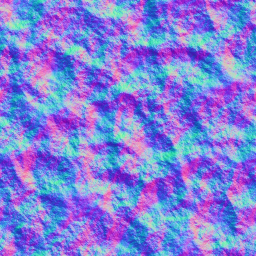
texWaveNormal
Default: null
String — the wave normal texture. The wave normal texture used in the IDE is:
texWavePerturbation
Default: null
String — the wave perturbation texture. The wave perturbation texture used in the IDE is:

waterDirection
Default: 0
Number — the water flow direction, range 0-360, in degrees.
waterBaseColor
Default: [0.1451, 0.2588, 0.4863, 1]
Number[] — the water color, a normalized four-element array.
animation
Default: false
Boolean — whether to enable the water animation (in the 2026 source code WaterPainter, the animation is not enabled when symbol.animation is absent; the old documentation wrote true).
contrast
Default: 1
Number — the contrast of the water color.
hsv
Default: [0, 0, 0]
Number[] — the HSV color adjustment of the water surface; the three values are hue, saturation and value.
uvScale
Default: 3
Number — the UV scale of the wave normal texture (number of repeats).
waterSpeed
Default: 1
Number — the water flow speed, used together with animation; the larger the value, the faster the flow.
This document has been cross-checked against the @maptalks/gl-layers 2026 source code (api-notes-vt-gl.md)